Datacenters, racks & labels
Datacenters
Section titled “Datacenters”Each datacenter is a site in TrixOS. Sites have a name, an address and a description, and each one can have its own site agent. The Datacenters page lists every site with its racks and how many servers are in each.
Subnets, servers and switches belong to a site. TrixOS uses that to keep things consistent: for example, it won’t assign a server an IP address from another datacenter’s subnet unless an admin overrides it.
Add racks to a datacenter with a name (unique per datacenter), a height in units (42 by default), and optionally a location such as a room or row.
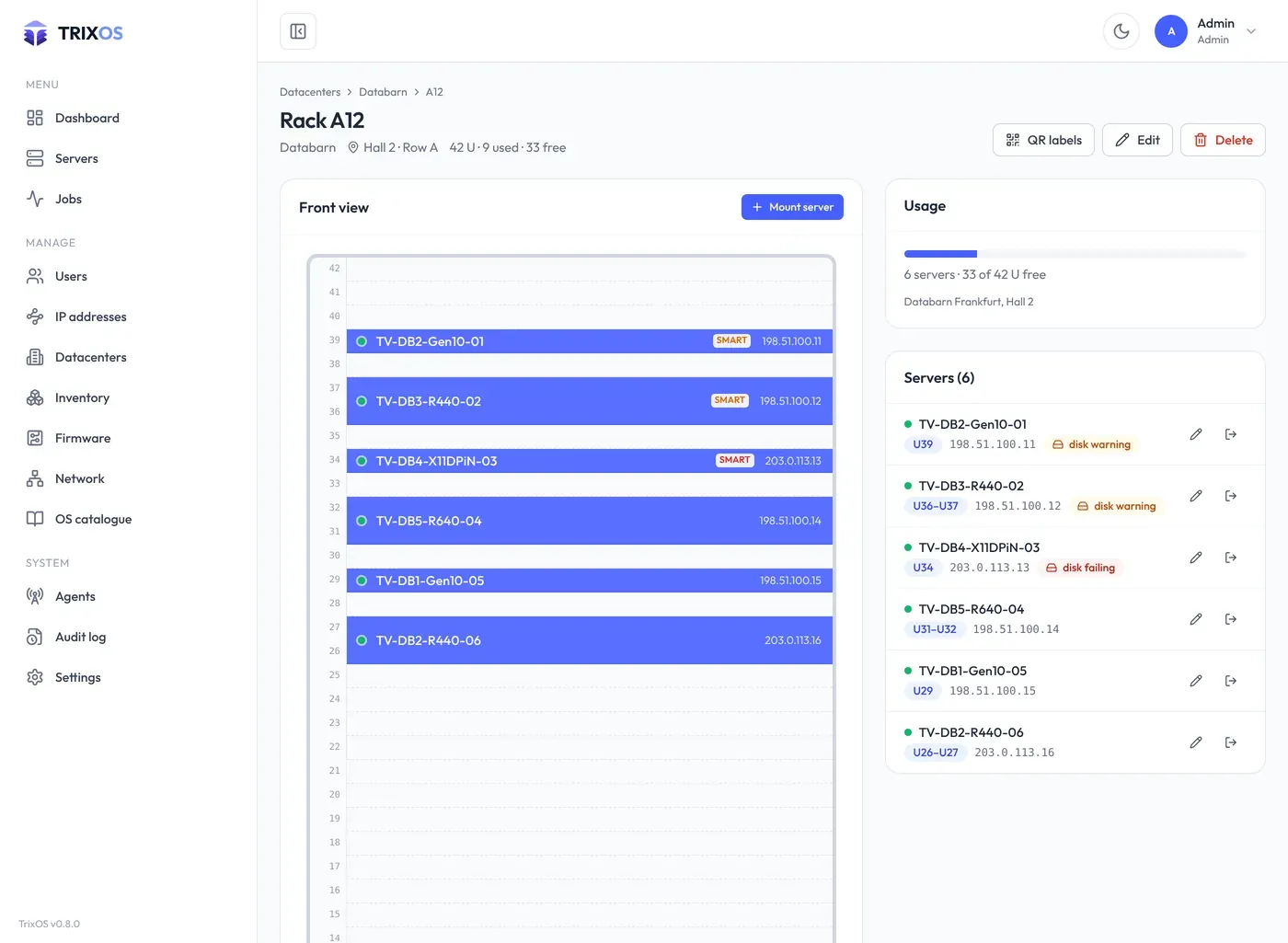
A rack’s page shows its front view. Click a free unit to mount a server, or move and remove servers from there. A server’s placement is its lowest unit plus its height in units. TrixOS refuses placements outside the rack or overlapping another server and names the server in the way. You can also set the rack and unit in the server’s edit dialog; a server can be in a rack with an unknown position.
Racking a server moves it to the rack’s datacenter. A rack can’t be deleted while servers are in it, and can’t shrink below its highest mounted unit.
QR labels
Section titled “QR labels”QR label on a server page, and QR labels on a rack or datacenter page, open a dialog with a preview of the labels and a print button. Each label carries:
- a QR code that opens the server’s page in the panel (after sign-in), with the TrixOS mark in the middle (always the same; the code stays readable),
- the hostname,
- the IPMI address and the location (datacenter, rack and unit), each of which you can switch off,
- the logo.
Settings → QR labels sets the look of every label, with a live preview:
- the logo (Trivox, TrixOS or your own: PNG, SVG, JPEG or WebP, stored as a PNG of at most 256 KB) and where it sits (below or above the text, at the right edge, or no logo),
- its height (10 – 80 % of the label height) and width: automatic (from the height, keeping the proportions) or a fixed share of the room next to the QR code, either fitted into width × height or stretched to it,
- the text sizes: the hostname and the other lines (IPMI IP, location), 50 – 200 % of the size chosen for the label stock.
The logo you choose is printed next to the code only; the mark in the middle of the QR code is fixed.
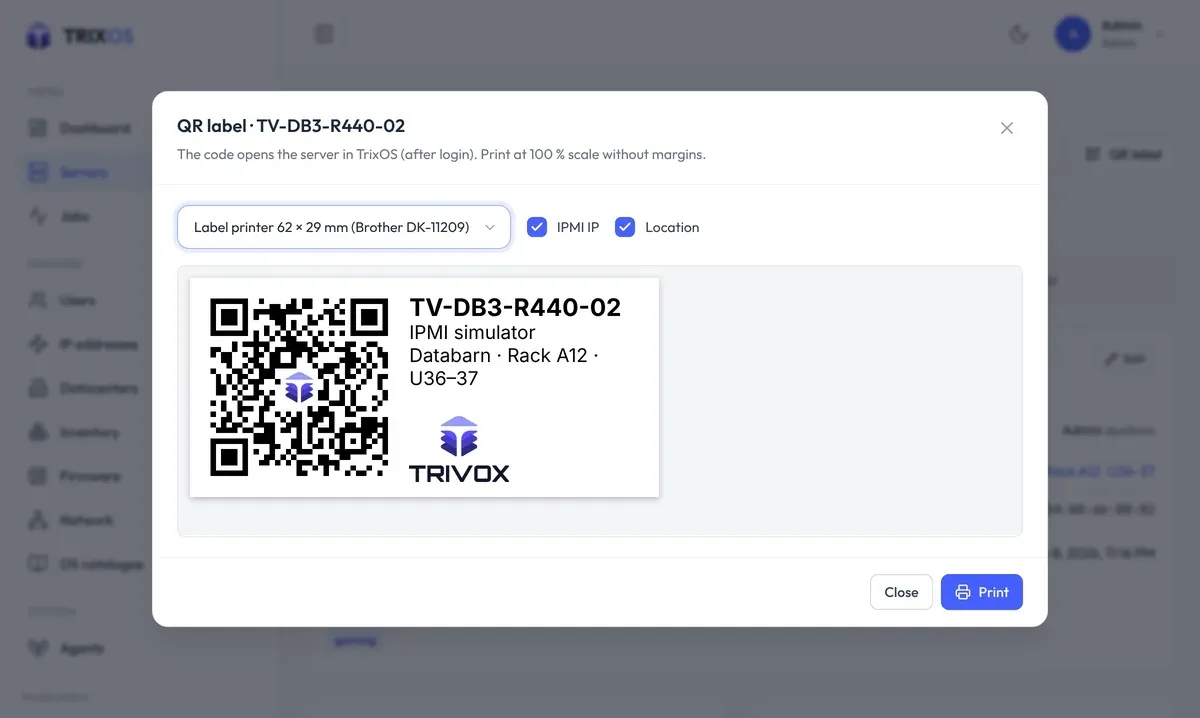
Label stocks: label printers with 62 × 29 mm (Brother DK-11209), 89 × 36 mm and 102 × 51 mm labels, one label per page, or A4 sheets with 3 × 8 labels of 70 × 37 mm. Print at 100 % scale without margins.
Scanning a label with a phone in the datacenter takes you straight to the server.