Inventory & stock
The Inventory page lists every hardware part TrixOS knows: CPUs, memory modules, disks, NICs, mainboards, GPUs, power supplies, RAID / HBA controllers, RAID volumes, chassis and others. Parts are either installed in a server or in stock:
| Status | Meaning |
|---|---|
| installed | Built into a server; comes from discovery, a PXE rescan or manual entry |
| spare | On the shelf, ready to use |
| defective | Broken, waiting for a decision |
| rma | Sent back to the vendor |
| retired | Out of service, kept for the record |
At the top, the page says which servers have no hardware data yet (no CPU, memory or disk), why (no BMC, BMC credentials missing, last read failed) and where the others got theirs (OS scan, BMC, TenantOS import, entered by hand). Read N from BMC reads the hardware of all of them from their BMCs at once: read-only, without a reboot, four at a time in the background; the list updates while it runs. Per component, data from an OS scan, the import or entered by hand is kept (see Inventory & SMART).
Below are the components with their counts (click one to filter), and the parts in two views:
- By model (default): one row per component (CPUs, memory, disks, …) with its counts; open it for every model and size with how many are installed, spare, defective / RMA and in total, ten at a time (Show more). With a search or filter the components open by themselves; Expand all opens every one. Click a model to list exactly those parts.
- Every part: one row per part with size, serial or MAC, status, server or stock location and where the data came from; 50 per page by default (10 – 100, remembered in the browser), scrolling inside the card.
With many servers lacking hardware data, the first twelve are shown, the rest behind and N more.
Filter by status and datacenter, search by model, serial or server, and Export CSV for spreadsheets or audits.
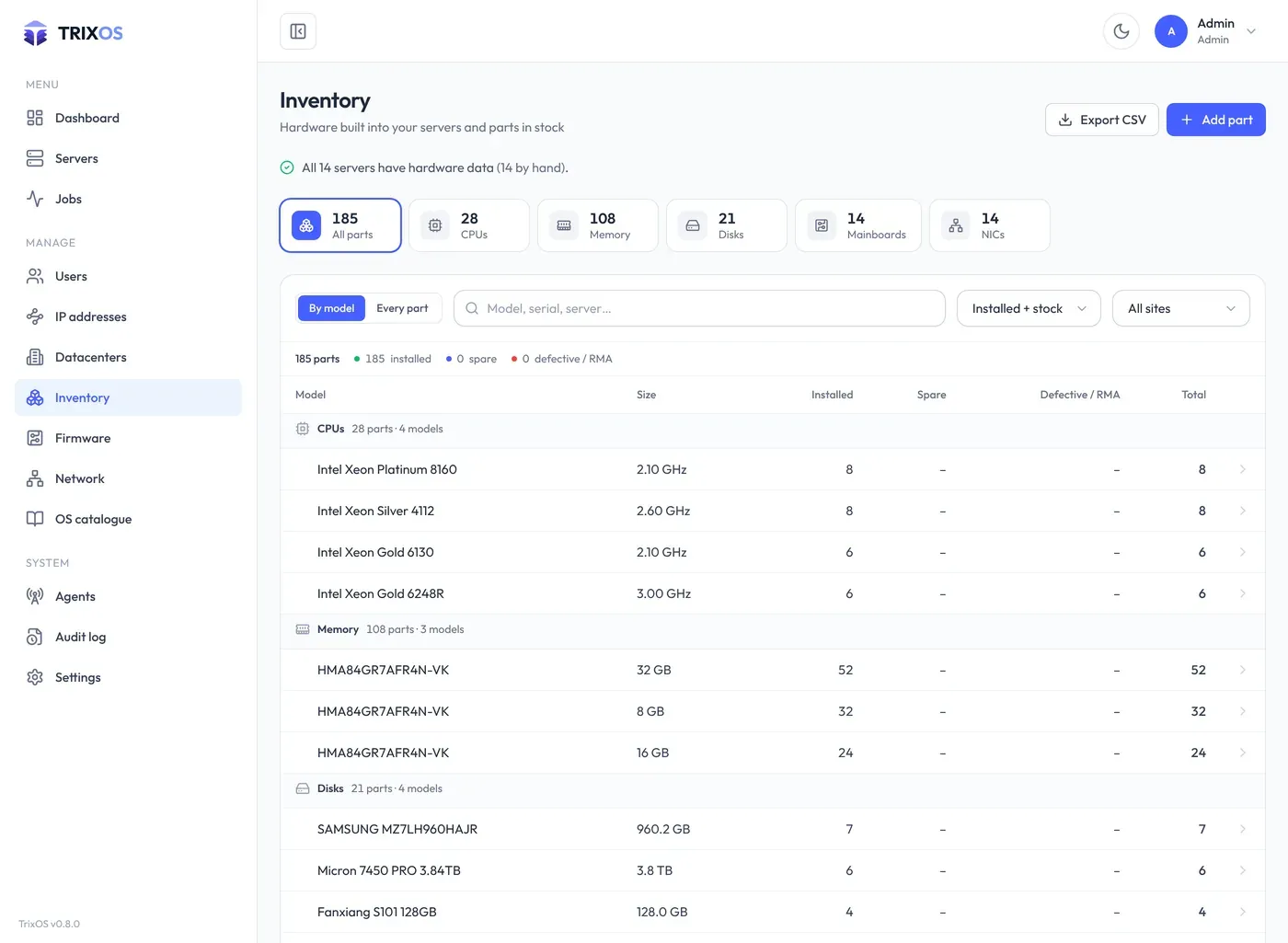
Add parts you keep on the shelf with Add part: component, model, size, serial, status and the datacenter where it is stored. Edit a part to change its status, for example when a disk goes out for RMA, or to put it into a server.
A rescan of a server (discovery or PXE) replaces only the parts installed in that server. Stock parts are never changed by a rescan.
The inventory page is for admins.